

Google My Business, now officially called Google Business Profile, is a free platform that controls how your business appears in Google Search and Google Maps. If you own a local business and you are not actively managing your profile, you are handing customers to competitors who are. Fully completed profiles receive 7 times more clicks than incomplete ones, and 70% of consumers visit a business within 5 miles after a local search. Understanding why use Google My Business starts with one fact: no other free tool gives you this level of direct access to customers who are already searching for what you sell.
What are the key benefits of Google My Business for local businesses?
Google Business Profile places your business directly in front of customers at the exact moment they search for your product or service. The Local Pack captures roughly 78% of clicks for local search queries, making your profile up to 4 times more visible than your website alone for geo-targeted terms. That is a visibility gap no amount of website redesign can close without a strong profile backing it up.
The benefits of Google My Business extend well beyond raw visibility. Here is what an optimized profile delivers:
- Higher conversion rates. The view-to-action conversion rate on Google Business Profiles is 3 times higher than a typical business homepage. One-click call, direction, and booking buttons remove friction that a website cannot match.
- Increased trust through reviews. Optimized profiles see 2.7 times more views, and reviews alone boost click-through rates by 35%. Customers treat star ratings as a fast trust signal before they ever visit your site.
- Competitive positioning against larger brands. Well-optimized profiles outrank even national chains and paid ads because Google’s local algorithm prioritizes relevance and prominence over advertising budget.
- Direct customer actions. Calls, direction requests, appointment bookings, and messages all happen inside the profile. You capture intent without requiring a website visit.
- AI-powered local answers. Google’s AI-driven search features pull data directly from active profiles. A dormant profile gets ignored by these systems entirely.
“Your GMB reputation is built whether you participate or not. Active management shows professionalism and prevents losing customers to better-managed competitors.” — QuickSprout
The Google My Business advantages listed above are not theoretical. They are measurable outcomes tied directly to profile completeness and engagement frequency.
How does Google My Business impact local SEO and search rankings?

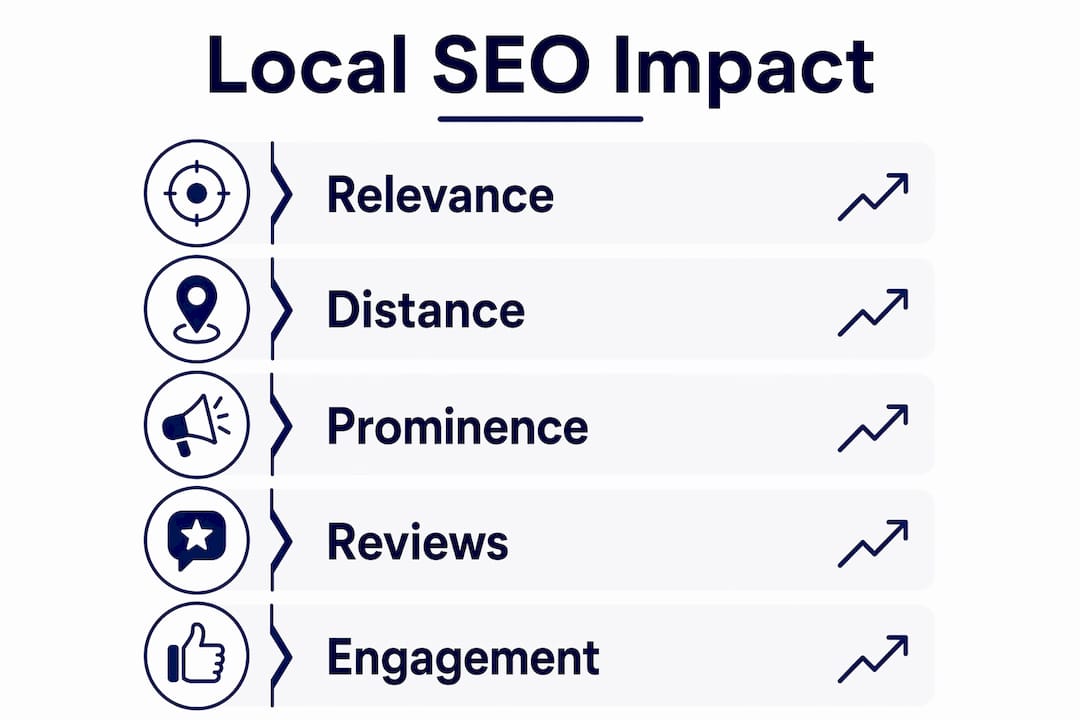
Google’s local ranking algorithm uses three primary factors: relevance, distance, and prominence. Relevance measures how well your profile matches a search query. Distance calculates how close your business is to the searcher. Prominence reflects how well-known and active your business is across the web. You cannot control distance, but you fully control relevance and prominence through your profile.
Review quantity and recency account for approximately 15% of local ranking weight across more than 20 combined ranking signals. That means a business with 50 recent reviews consistently outranks a competitor with 200 old ones. Recency matters as much as volume.
| Ranking Factor | What It Measures | How to Influence It |
|---|---|---|
| Relevance | Profile match to search query | Complete categories, description, and services |
| Distance | Proximity to searcher | Set accurate address or service area |
| Prominence | Authority and activity signals | Reviews, posts, photos, inbound links |
| Review signals | Quantity, recency, and responses | Ask for reviews, respond within 24 hours |
| Engagement | Clicks, calls, direction requests | Keep hours and info accurate and current |
The importance of Google My Business for local SEO also extends into AI-driven search results. Profile engagement metrics, including response rates above 80% and regular updates, significantly improve your chances of appearing in AI-generated local answer summaries. These summaries appear above traditional search results and represent the next frontier of local visibility.
Pro Tip: Post to your Google Business Profile at least once per week. Regular posting signals activity to Google’s AI systems and helps maintain or improve your rankings in both local searches and AI-generated summaries.
Learning how to improve Google Maps rankings goes hand in hand with profile optimization. The two reinforce each other directly.
What features and optimization strategies should you use on Google My Business?
Setting up your profile correctly from the start prevents ranking problems that are difficult to fix later. Follow these steps to build a profile that performs:
- Verify your profile. Profile verification unlocks edit access and analytics. Without verification, you cannot control your listing or see how customers find you. Multiple verification methods exist, including video, phone, and postcard.
- Select the right primary category. Your primary business category is the single most influential field in your profile. Choose the most specific category that accurately describes your core service, not a broad one.
- Write a complete business description. Use all 750 characters. Describe what you do, who you serve, and what makes your business different. Include your city and primary service naturally.
- Add at least 10 photos. Profiles with 10 or more photos receive 42% more direction requests. Upload interior, exterior, team, and product photos on a rotating schedule.
- List all services and products. Google uses your services section to match your profile to specific search queries. An incomplete services list means missed rankings for terms you actually serve.
- Set up direct messaging and booking. Customers who can message or book directly from your profile convert at a higher rate than those redirected to a website contact form.
- Manage reviews proactively. Ask satisfied customers for reviews using a direct review link. Respond to every review, positive or negative, within 24 hours. Review gating, meaning targeting satisfied customers for feedback, is an ethical strategy that builds positive review volume without risking spam flags.
For home-based or mobile businesses, service area listings let you define your coverage zone without exposing a home address. This is a critical feature that many mobile service providers overlook.
Pro Tip: Google retired the dedicated Google My Business app. Profile management now happens exclusively through Google Search or Google Maps. Search your business name while logged in to access your dashboard directly.
Use the Google Business Profile optimization checklist from Seolevelup to audit every field systematically before moving on to ongoing management.
Common misconceptions about Google My Business optimization
Several persistent myths cause local business owners to underinvest in their profiles or manage them incorrectly. Recognizing these pitfalls protects your rankings and your reputation.
- “Set it and forget it” does not work. A profile created years ago and never updated signals neglect to both Google and customers. Hours, services, and photos must stay current. Outdated information drives customers to competitors.
- Paid ads do not substitute for profile optimization. Google Ads spend has no influence on your organic local ranking. A business spending nothing on ads but maintaining an active, complete profile will consistently outrank a competitor running paid campaigns on a neglected profile.
- Incomplete profiles lose customers silently. A missing phone number, incorrect address, or absent hours creates friction that sends searchers elsewhere. Most customers do not report the problem. They simply leave.
- Never pay a third party to verify your profile. Google’s verification process is free. Any service charging a fee to verify your listing on your behalf is either unnecessary or a scam. Verification must be completed by the business owner or an authorized representative.
- Ignoring negative reviews is a ranking and trust risk. Passive profiles are perceived as untrustworthy and lose potential visitors to better-managed competitors. A professional response to a negative review demonstrates accountability and often recovers the customer relationship.
Understanding what local SEO includes for small businesses helps you see how profile management fits into a broader strategy rather than standing alone.
Key takeaways
Google Business Profile is the highest-ROI free tool available to local businesses, and profile completeness, review recency, and weekly posting directly determine your local search ranking and customer conversion rate.
| Point | Details |
|---|---|
| Profile completeness drives clicks | Fully completed profiles receive 7 times more clicks than incomplete ones. |
| Local Pack dominates local search | The Local Pack captures 78% of local search clicks, making your profile more visible than your website. |
| Reviews carry measurable ranking weight | Review quantity and recency account for approximately 15% of local ranking signals. |
| Photos increase direction requests | Profiles with 10 or more photos receive 42% more direction requests from potential customers. |
| Active profiles win AI-driven results | Response rates above 80% and weekly posts improve visibility in Google’s AI-generated local answers. |
What I’ve learned from watching local businesses win and lose on Google
I have watched businesses with modest budgets consistently outrank well-funded competitors simply because they treated their Google Business Profile as a living marketing asset rather than a one-time setup task. The pattern is consistent: the businesses that win locally post weekly, respond to every review within a day, and update their photos every quarter. The ones that struggle created a profile two years ago and have not touched it since.
The cost argument for active profile management is straightforward. A single new customer acquired through an optimized profile costs nothing in ad spend. Compare that to Google Ads, where a single click in a competitive local category can cost $10 to $30 or more. The profile is free. The labor is minimal. The return is real and compounding.
One observation that surprises most business owners: aligning your website messaging with your Google Business Profile description improves both. Google cross-references the two to validate relevance. When your profile says “emergency plumbing in Chicago” and your website homepage says the same thing, your relevance signal strengthens for that query. Misalignment between the two creates a credibility gap that suppresses rankings.
The shift toward AI-driven local answers in 2026 makes active profile management more urgent, not less. Google’s AI systems pull from profiles that demonstrate consistent engagement. A business that posts, responds, and updates regularly gets featured. A business that does not gets replaced by one that does.
— Tommy
Let Seolevelup handle your Google Business Profile

Managing a Google Business Profile correctly takes consistent effort across reviews, posts, photos, and profile updates. Seolevelup’s managed local SEO services are built specifically for local businesses that want maximum visibility in Google Search and Maps without spending hours each week on profile management. The Seolevelup team handles profile completion, review strategy, weekly posting, and performance reporting so your profile works as hard as your business does. If you are ready to stop losing customers to better-managed competitors, Seolevelup gives you the expertise and execution to change that outcome.
FAQ
Why use Google My Business instead of just a website?
Google Business Profile converts at 3 times the rate of a typical business homepage because customers can call, get directions, or book in one click. Your website supports the profile but cannot replace it for local search visibility.
Is Google My Business free to use?
Google Business Profile is completely free to create, verify, and manage. There are no fees for standard features including posts, photos, messaging, or review responses.
How often should I update my Google Business Profile?
Post at least once per week and update your hours, photos, and services whenever they change. Regular posting signals activity to Google’s AI systems and supports higher local rankings.
Does having more reviews help my local ranking?
Yes. Review quantity and recency account for approximately 15% of local ranking weight. Responding to reviews also contributes to engagement signals that Google factors into prominence scores.
Can a home-based business use Google Business Profile?
Yes. Home-based and mobile businesses can list a service area instead of a physical address, protecting privacy while still appearing in local search results for the areas they serve.


